Device Login Manager
Enhancing account security with extra protection to prevent unauthorized access.
Understanding
Brief
Enhance user accounts with an extra security layer during login, making it impossible for fraudsters to breach from untrusted devices.
Problems
Due to cases of user accounts being hacked or taken over without their knowledge of suspicious login attempts or devices.

Goal
Minimize impact or even prevent unauthorized login attempts.
Project Scope
This project focuses only on fraud via links or remote social engineering, excluding cases like stolen and hacked phones.
Design Scope
Potential changes to the account page interface and additional flows or entry points for enhanced security.
Persona
All Mitra Bukalapak, specifically users who have experienced an account takeover attempt.
Timeline

Oportunities
How might we enhance security by providing login history and extra protection during login?
Solutions
Benchmarking
I’ve reviewed the login flows of various apps like GoPay, Gojek, Dana, and Instagram. Here are two examples that significantly influenced my design.

This is DANA’s flow, which closely aligns with the team's product expectations.

Another one is Instagram’s flow, which also influenced the design.
Ideation and Exploration
After analyzing competitor benchmarks, I proceeded with a high-fidelity draft allowing for a more efficient workflow.
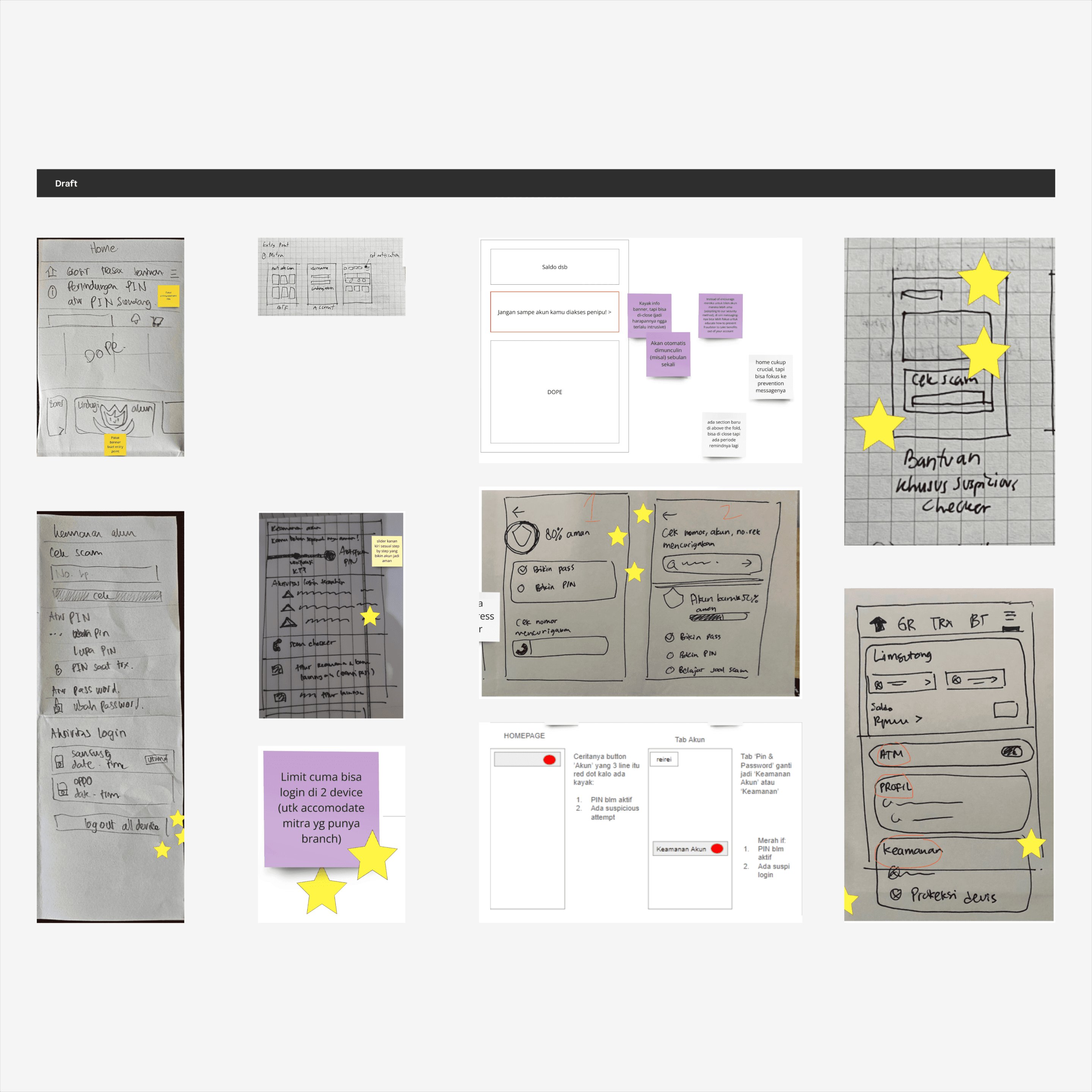
After benchmarking, I ran a Crazy 8 ideation session in Miro with stakeholders and vote it.

In the first iteration, I drafted screens for the entry point and security page.
Second Iteration
In the second iteration, I refined the design by assembling drafted components like LEGO pieces.

I drafted push notifications and the security page.

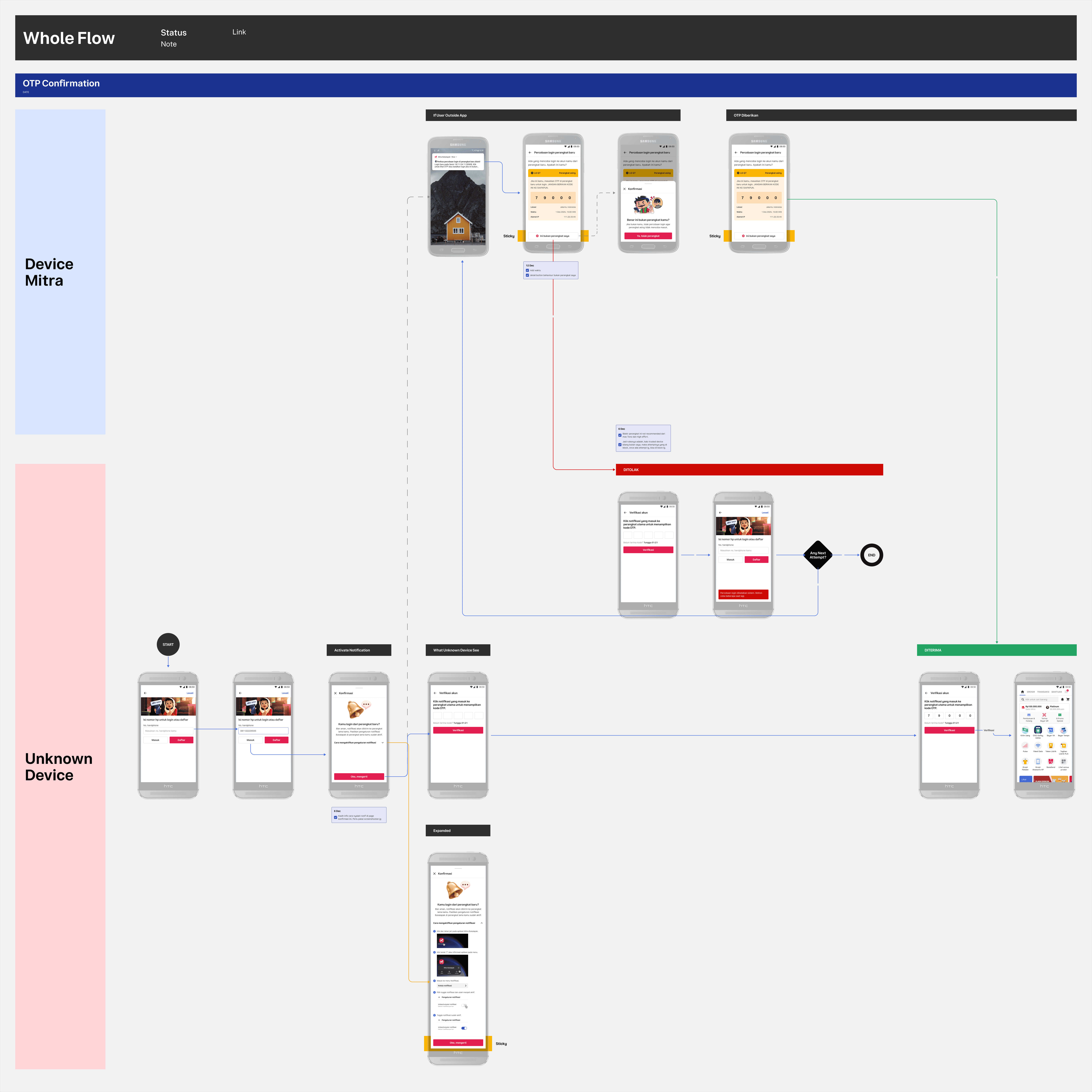
I mapped all possible flows to cover key scenarios.

I continuously drafted design options and mapped the entry point flow.
User Test
After mapping all flows and finalizing the draft, I prepared for user testing. Together with my researcher, Daniya Rachmadiani, we completed the research plan and agreed to test the Push Notification, Account Security Page, Fraudster Number Checker, and Login Activity Section.

After the user testing, we had a discussion, and my researcher synthesized the collected data. Once the recommendations were ready, these were the necessary final design adjustments.

Overall, the design is user-friendly with minor adjustments needed.
Final Design
This is the overall system workflow, illustrating how the system helps users identify and reject unauthorized login attempts.
Entry Points

This is the Push Notification and Login Attempt response screen that appear on user's phone.

Final design for the homepage entry point with a new "Hati-hati modus penipuan" section.

additional section at Bantuan page for Fraud Checker entry point, while Account keeps Account Security.
Why I Choose This Project?
This project has been an engaging experience, allowing me to explore ideas through ideation, deeply understand the context to craft effective solutions, and collaborate closely with stakeholders—all with the shared goal of achieving the most optimal design for users.
Documentation
If you’d like to view my Figma documentation, please check the following link: https://figmashort.link/6HPEYW